

Step 1: Define Your Operational Requirements Before You Shop
Before you takea single vendor demo, document what your business actually needs. This stepprevents the most expensive mistake in POS selection: buying features you don’tneed while missing capabilities you can’t live without.
The Requirements Checklist
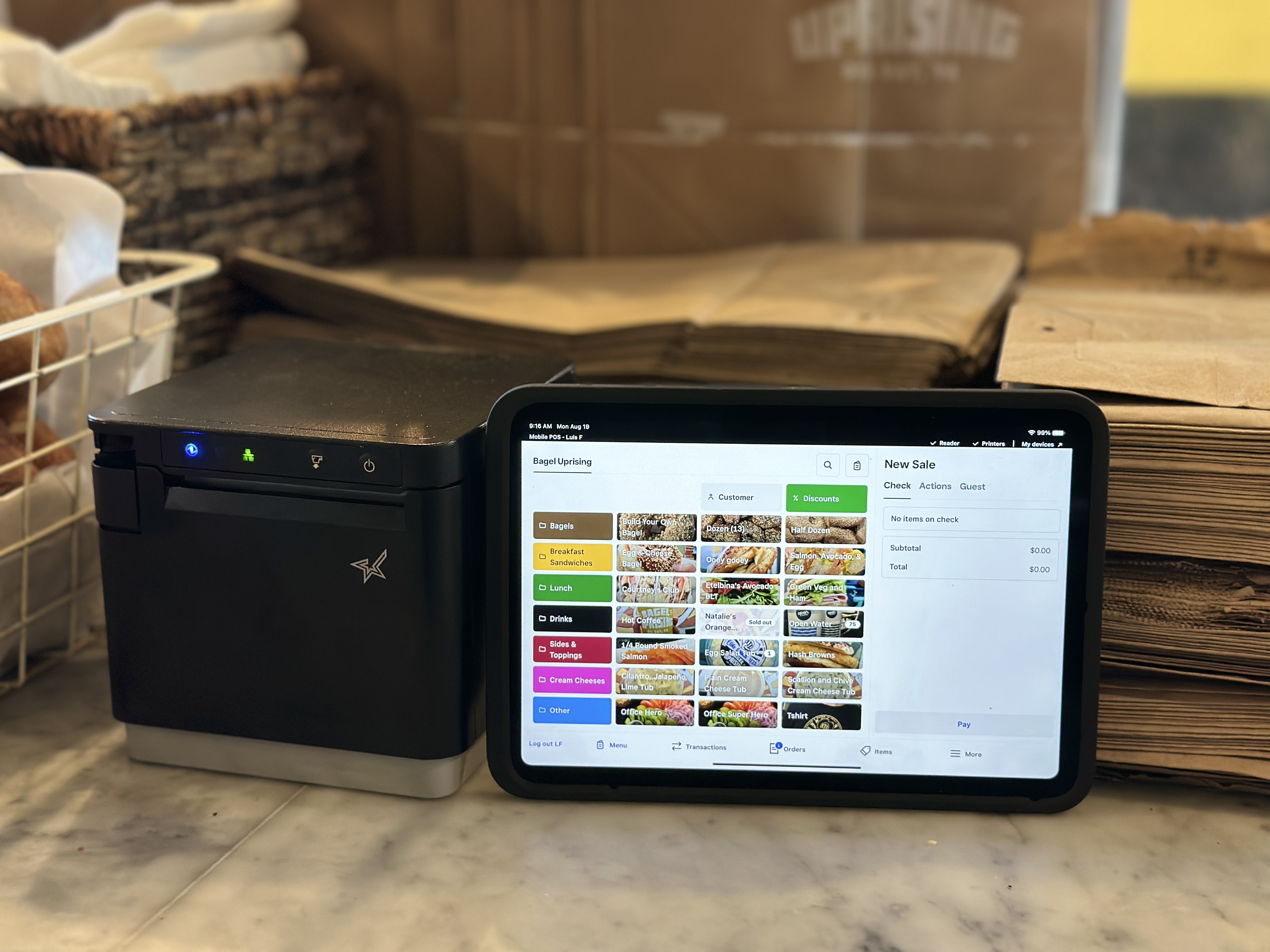
Menu andcatalog complexity: How many items, modifiers, and variants do you manage?A coffee shop with 30 items has different needs than a full-service restaurantwith 200 items and complex modifiers, or a retailer with thousands of SKUsacross multiple categories.
Multi-locationneeds: If you operate—or plan to open—multiple locations, you needcentralized reporting, menu management, and inventory visibility across allsites. Retrofitting multi-location support onto a single-store POS is expensiveand disruptive.
Inventorytracking: Do you need real-time stock counts, low-stock alerts, purchaseorders, vendor management, or multi-channel inventory sync? The answerdetermines whether built-in inventory tools are sufficient or whether you needa dedicated integration.
Integrationrequirements: Map every system that must connect to your POS—accounting(QuickBooks, Xero), payroll, loyalty programs, email/SMS marketing (Klaviyo),online ordering, and third-party delivery platforms. Missing a criticalintegration means manual data entry forever.
Reportingneeds: Who needs access to what data? Owners, managers, and accountantstypically need different views. Define your reporting hierarchy upfront so yourPOS can be configured to deliver the right insights to the right people.
Document theserequirements in writing before taking any sales calls. Vendors are excellent atselling features—your job is to buy solutions.
Step 2: Platform Selection—Matching Technology to Your Operation
The POS marketis crowded, and the “best” platform depends entirely on your operation type,growth trajectory, and integration ecosystem. Here’s how the platforms weimplement most frequently compare:
Square forRestaurants: Best for independent restaurants and growing chains that valuean intuitive interface, flat-rate processing, strong built-in reporting, and abroad ecosystem of integrations. Square’s strength is its simplicity—it’s fastto deploy, easy to train staff on, and scales well from one to ten-pluslocations. Square Online provides native online ordering without third-partycommissions.
Toast: Purpose-builtfor restaurants with deep hospitality-specific features: kitchen displaysystems (KDS), handheld tableside ordering, advanced tip pooling, and menuengineering analytics. Toast excels in full-service environments where serverworkflows and kitchen communication are critical. The tradeoff is a steeperlearning curve and more involved implementation.
Shopify POS:The strongest choice for retailers who sell both in-store and online.Shopify’s unified commerce platform keeps inventory, customers, and orderssynchronized across every sales channel automatically. If e-commerce is asignificant revenue driver or growth priority, Shopify’s ecosystem is hard tobeat.
The platformdecision should be driven by your operational reality, not by marketingmaterials or which sales rep calls you back first. We help our clients evaluateplatforms against their documented requirements and negotiate contracts thatserve their long-term interests.
Step 3: Data Migration—The Step That Makes or Breaks Your Launch
Data migrationis where most POS implementations go sideways. A careless migration leaves youwith duplicate customer records, broken SKU structures, missing historicaldata, and weeks of manual cleanup that distracts your team from actuallyrunning the business.
Clean yourdata before you move it. Export your current menu items, product catalog,customer database, and any other structured data. Eliminate duplicates,standardize naming conventions, fix category hierarchies, and resolve anyinconsistencies. This is unglamorous, tedious work—and it’s absolutelynon-negotiable.
Architectyour SKU structure. Create a logical, scalable naming convention thataccommodates variants, modifiers, and future product additions. A well-designedSKU structure makes reporting, inventory management, reordering, andtroubleshooting dramatically easier for years to come.
Preservewhat matters. Determine which historical sales, customer, and inventorydata needs to migrate and which can be archived separately. Not everythingneeds to come to the new system, but losing critical trend data will set yourreporting and decision-making back by months.
Map everyintegration dependency. Before migration day, verify that every connectedsystem—accounting, payroll, loyalty, marketing, online ordering, and deliveryplatforms—is compatible with your new POS and has a documented cutover plan.
Step 4: Staff Training and Change Management
The mosttechnically flawless POS implementation still fails if your team doesn’t adoptit. Technology adoption is a people challenge as much as a technical one, andthe operators who invest in training see dramatically better outcomes thanthose who hand staff a tablet and say “figure it out.”
Buildrole-specific training. Servers need order entry, splits, and paymentworkflows. Managers need reporting, voids, refunds, and labor tracking. Kitchenstaff need ticket management and display configuration. Back-of-house teamsneed inventory receiving and purchase orders. One-size-fits-all training leavesdangerous knowledge gaps.
Createstation reference guides. Laminated quick-reference cards at eachstation—register, host stand, kitchen—outperform lengthy training sessions.Staff can glance at a card during a rush instead of flagging a manager.
Time yourlaunch strategically. Never go live on a Friday night, during a holidayweekend, or in peak season. Schedule your cutover during a slower period thatgives your team breathing room to build confidence with the new system beforevolume ramps up.
Plan for aparallel period. If possible, run the old and new systems side by side fora brief overlap. This safety net lets you validate data accuracy and catchconfiguration issues before fully committing.
Step 5: Post-Launch Optimization—Where the Real Value Lives
Implementationday is not the finish line—it’s the starting point. The operators who get themost value from their POS are the ones who treat it as a platform forcontinuous improvement, not a set-it-and-forget-it purchase.
Weekly salesanalysis: Review item-level sales, daypart performance, and category trendsevery week. Identify top performers, slow movers, and items with high waste.This data drives menu engineering decisions that directly impact profitability.
Labor costalignment: Use POS labor data to match staffing levels to actual demandpatterns. Overstaffing during slow periods and understaffing during peaks areboth expensive—data-driven scheduling eliminates both.
Marketingautomation: Connect your POS customer data to Klaviyo or your marketingplatform to trigger automated campaigns: welcome emails for first-timecustomers, win-back offers for lapsed visitors, birthday rewards, andpost-visit review requests.
Quarterlysystem reviews: Platforms release new features constantly. Schedulequarterly reviews to evaluate new capabilities, reassess integrations, andoptimize configurations based on how your business has evolved.
Common Mistakes That Cost Operators Thousands
Rushingimplementation without process mapping. If you don’t understand yourcurrent workflows, you’ll replicate their inefficiencies in a shiny new system.
Over-customizingbefore launch. Get the core system running smoothly before adding advancedcustomizations. Complexity layered onto an unproven foundation creates fragilesystems.
Ignoringintegration dependencies. A POS that can’t talk to your accountingsoftware, loyalty program, or online ordering platform creates more manual workthan it eliminates.
Skimping ontraining. Cutting corners here leads to higher error rates, slower service,increased comps, and staff frustration that fuels turnover.
Frequently Asked Questions
Q: How long does atypical POS implementation take?
A: Mostimplementations take four to eight weeks from kickoff to go-live, depending oncatalog complexity, the number of integrations, and the cleanliness of yourexisting data. Multi-location rollouts or operations with complex inventoryrequirements may take longer.
Q: When is the besttime to migrate POS systems?
A: Shoulderseasons or historically slower periods. Your team needs room to learn the newsystem without peak-volume pressure. We also recommend avoiding the last twoweeks of any month or quarter to minimize accounting complications.
Q: Can I keep mycustomer data and sales history when I switch platforms?
A: Inmost cases, yes. Customer databases, product catalogs, and certain historicaldata can migrate between platforms, though the process varies. We handle datamapping and validation to ensure nothing critical is lost in the transition.
Q: What integrationsshould I prioritize?
A: Accounting(QuickBooks or Xero), marketing automation (Klaviyo), and online ordering arethe highest-impact integrations for most operators. Payroll, inventorymanagement, and loyalty follow closely depending on your operation.
Q: How much does POSimplementation typically cost?
A: Costsvary based on hardware, software subscriptions, integration complexity, datamigration scope, and training needs. We provide transparent, itemized proposalsso you know exactly what you’re investing in and why—no surprise fees aftersigning.
Ready to Upgrade Your POS the Right Way?
Boldly Forgedoesn’t just install POS systems—we design scalable operational ecosystems thatconnect your front-of-house, back-of-house, online channels, and marketing intoone unified platform. As a certified Square Partner with deep expertise acrossToast and Shopify, we bring implementation experience that prevents the costlymistakes most operators make on their own.
Scheduleyour free POS consultation →